Free tool · Juris
Is that case citation real? Check it free.
Paste a paragraph, a draft or an answer from an AI tool. The checker finds each case citation in it, looks it up in a case-law database and links you to the decision it found. No account needed.
Canada, the United States and the United Kingdom. The text you paste is not stored.
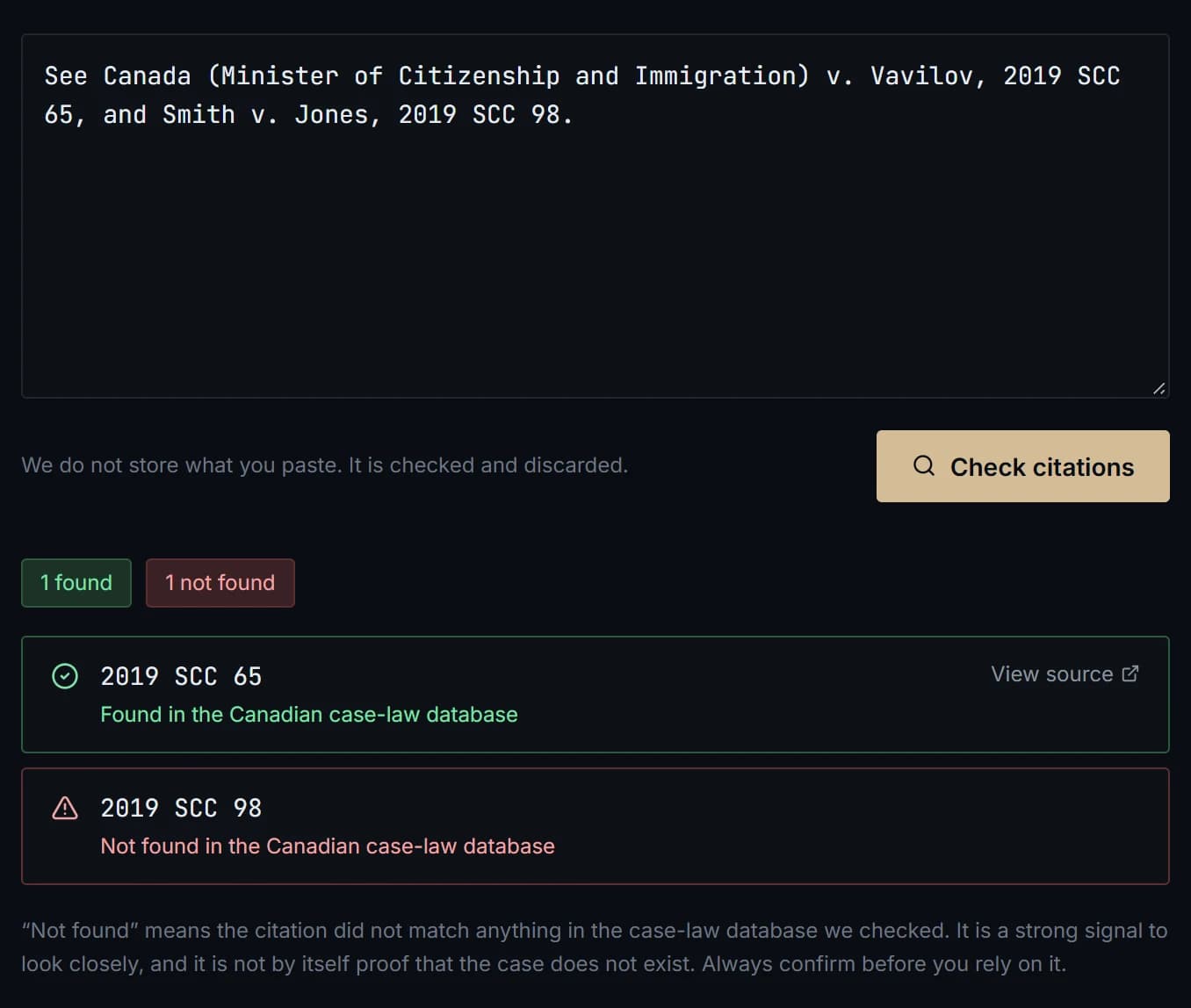
Four answers, never a guess
Each citation gets one of these.
Found
The citation matched a decision in the case-law database. You get a link to it, taken from the database, so you can read the decision before you rely on it.
Not found
Nothing in the database matched. That is a reason to look closely, not proof the case does not exist: a citation can be mistyped, unreported, or from a court the database does not cover.
Not checked
The database did not answer in time. That says nothing about your citation. Try again in a few minutes.
Format not supported yet
Westlaw, LEXIS and US docket numbers cannot be looked up this way. The checker names them instead of skipping them, so you know to verify them yourself.
How it works
- 01
Choose the jurisdiction
Canada, the United States or the United Kingdom.
- 02
Paste your text
Up to 20,000 characters: a paragraph, a factum draft or raw AI output. The checker finds the citations in it.
- 03
Read each answer
Open the links for anything found, and look closely at anything that was not.
What it does not do
- It does not tell you whether a case is still good law or has been overturned.
- It never says a case does not exist. It only says whether the database had it.
- It does not replace your own check. You remain responsible for every authority you rely on.
- For the United Kingdom it uses Find Case Law, from The National Archives.
The same lookups work inside Juris
Sage, the assistant in Juris, checks the cases it cites against the same case-law databases.